CapCut
AI-powered video editor for everyoneAI-powered video editing for everyone from beginners to pros. Includes a vast library of premium assets, effects, and templates. Share to TikTok or YouTube with a single click
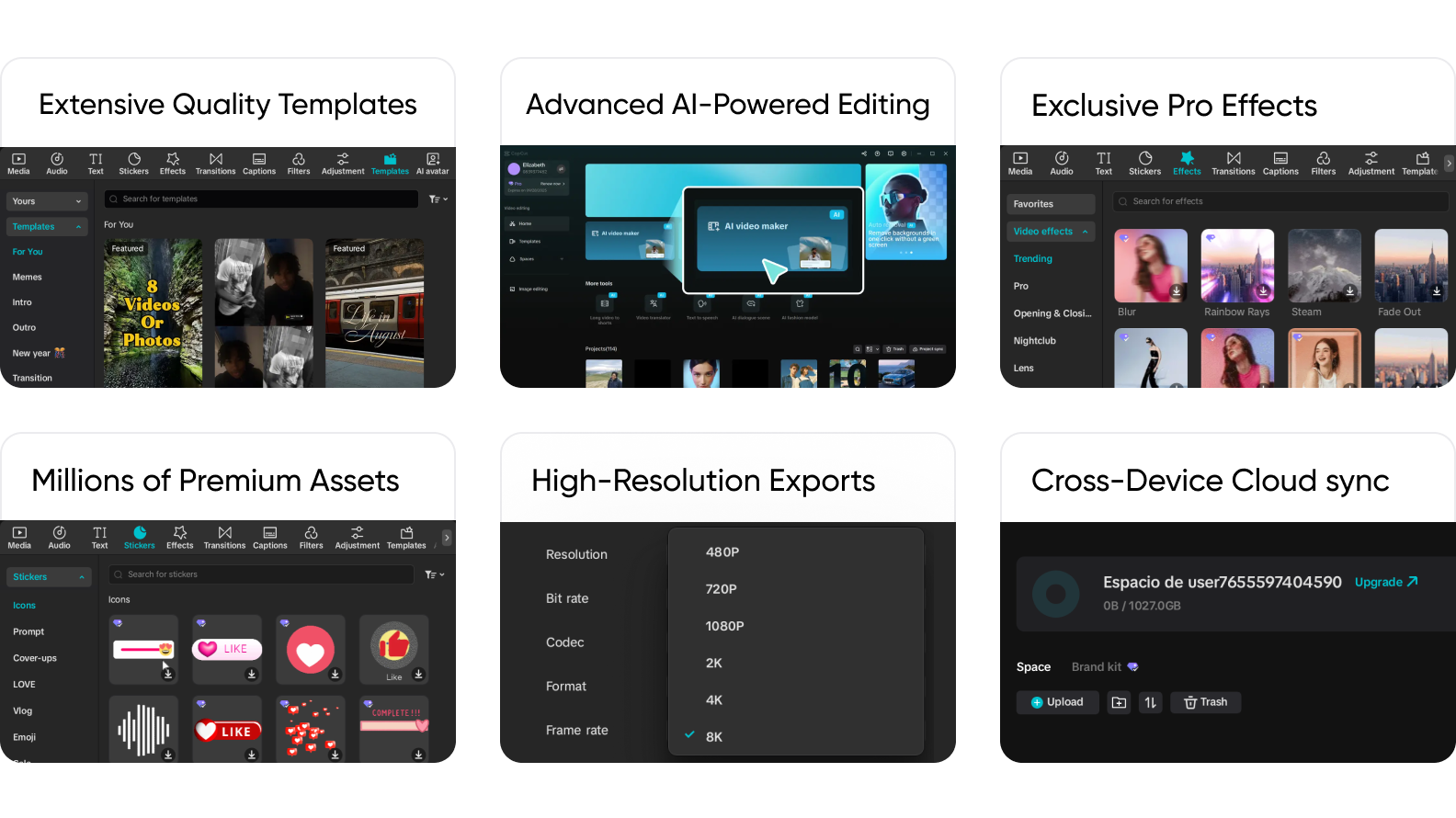
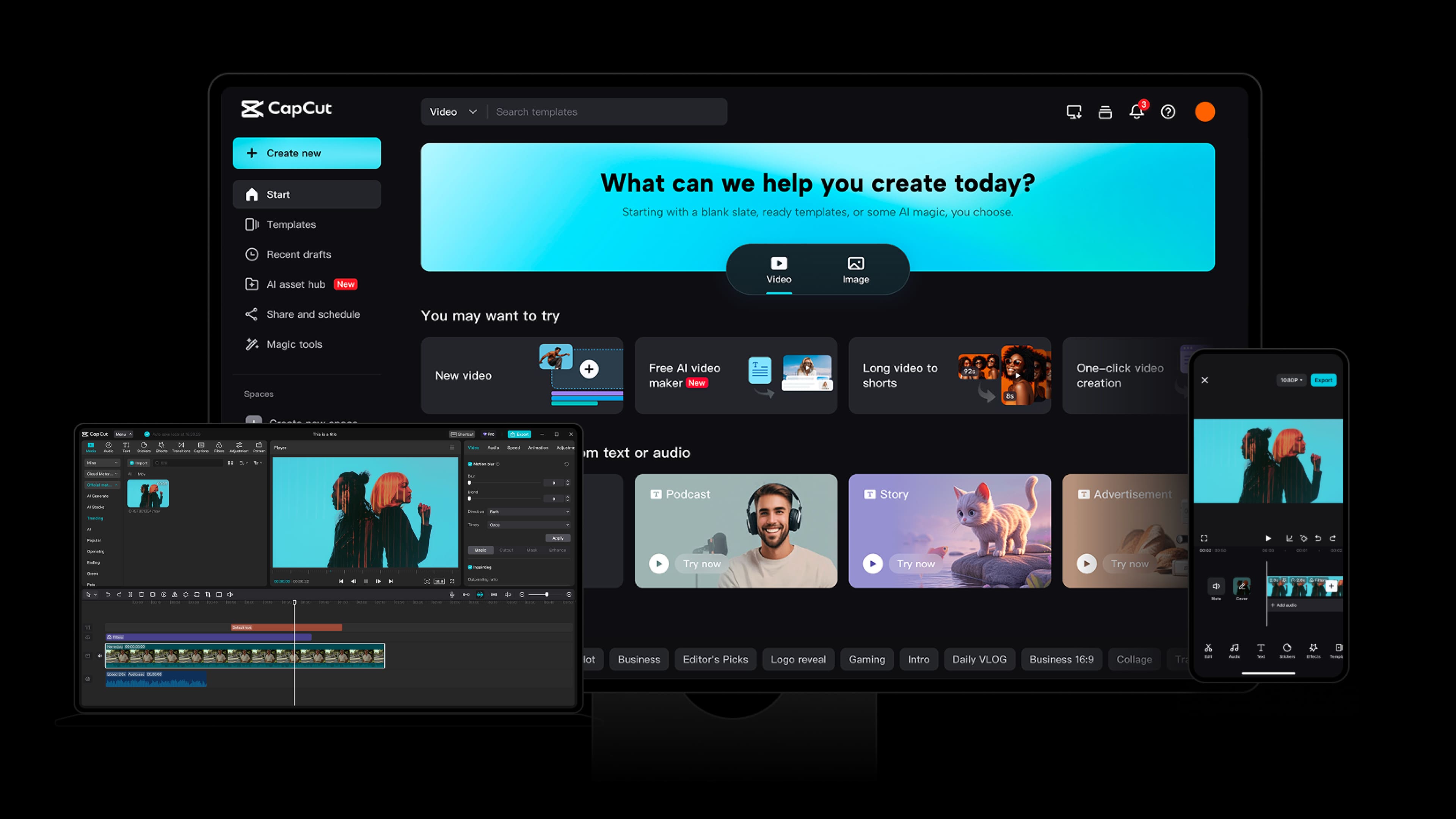
Professional editing, made incredibly simple. Extensive effects and filters, ready-to-use templates and powerful AI features, all within one intuitive interface
Perfect Companion for All Things Creative

Access the full CapCut Pro feature set and take your editing a notch higher
Worthwhile Choice for Professional Results
GamsGo gets you right into creation mode—no delays, no downtime
Create anywhere, anytime
Affordable, secure and stable access for uninterrupted creation
Better Value for Official Accounts
A private space just for you, where your creativity can run free
Exclusive Use, Maximum Security
GG Review Board
CapCut Evaluation Scores

 Great
Great 4.94.64.84.6
 Pros
Pros Cons
ConsStreet Cred
What Do Our Users say
Buying Guide
Buy CapCut Account
Is CapCut Pro worth buying?
Yes. CapCut is an easy-to-use, feature-rich video editor. Its subscription benefits include:
- Advanced AI tools: Use AI-powered auto captions, background removal, motion tracking, noise reduction, and quality enhancement. You can also turn scripts into videos to improve output efficiency.
- More creative assets: Get popular premium templates, smooth and natural transitions, adjustable filters, plus fonts, stickers, and more for you to use freely.
- Team collaboration: Invite members to share projects, and hand off editing access flexibly.
- More cloud storage: Enjoy 100GB of cloud storage and 5GB of collaboration space to reduce local storage pressure.
- High-quality export: Export watermark-free videos in 4K HD at 60 FPS.
CapCut’s subscription is a great fit for active creators on platforms like TikTok, YouTube, and Instagram, as well as business teams, designers, and freelancers who rely on editing as a core part of their work. At the same time, its simple and efficient workflow also makes it great for creating vlogs to capture daily life, making video assignments, and more.
Why buy CapCut Pro accounts on GamsGo?
The most obvious advantage of GamsGo is the lower price. Compared with the original price of $24.99, CapCut Pro Teams on GamsGo is 70% cheaper, which greatly reduces the pressure of long-term subscriptions.
When it comes to security, GamsGo consistently provides CapCut purchase services through a legally sourced shared subscription model. Transactions are processed through major international payment methods such as Visa, PayPal, and MasterCard. At the same time, you are guaranteed dedicated private data space, so no one will view or intrude on the videos you create.
Also, whether before or after purchase, GamsGo’s 24/7 customer support team responds quickly to your questions and provides attentive, professional help.
We also offer affordable Filmora Advanced subscriptions, Cannva Pro subscriptions, AIPPT subscriptions, and other content creation tool subscriptions, so you can optimize your workflow in one place.
CapCut FAQs
How much do CapCut plans cost?
Plan | Devices | Monthly | Annual |
CapCut Standard | Mobile | $5.99 | $89.99 |
CapCut Pro | Mobile, PC & Web | $19.99 | $179.99 |
CapCut Teams | Mobile, PC & Web Collaboration & Shared | $24.99 | $214.99 |
As you can see, on GamsGo, you can subscribe to CapCut Team for $7.99 per month. Over the long term, you can meet your whole team’s video editing needs at a lower cost.
Can CapCut edit videos offline?
Yes. Edits made offline are saved locally, and they can be synced to the cloud once you reconnect to the internet. Note that online template assets and some AI features usually require an internet connection.
Does CapCut update its content actively?
Yes. CapCut quickly updates trending creation templates, filters, stickers, effects, and more, so your edits stay aligned with current trends.
Is CapCut Pro suitable for beginners?
Very suitable. With a simple drag-and-drop timeline workflow for cutting, transitions, captions, and effects, plus features like one-click templates, auto captions, and smart background removal, beginners can produce finished videos quickly. In addition, whenever a new feature is released, the official Help Center provides detailed guides, which greatly lowers the learning and usage barrier for new users.
What devices does CapCut support?
The CapCut subscription provided by GamsGo supports Android and iOS mobile devices, Windows (PC), Mac, and the CapCut web version, so you can start creating videos anytime, anywhere.
If I uninstall CapCut, will my work be lost?
Usually not. Videos exported to local storage will not be lost. For unexported video projects saved in CapCut Cloud, your data will be restored after you log in again. Note that drafts in CapCut may be deleted automatically after uninstalling, so export important unfinished projects or enable cloud storage before uninstalling.

